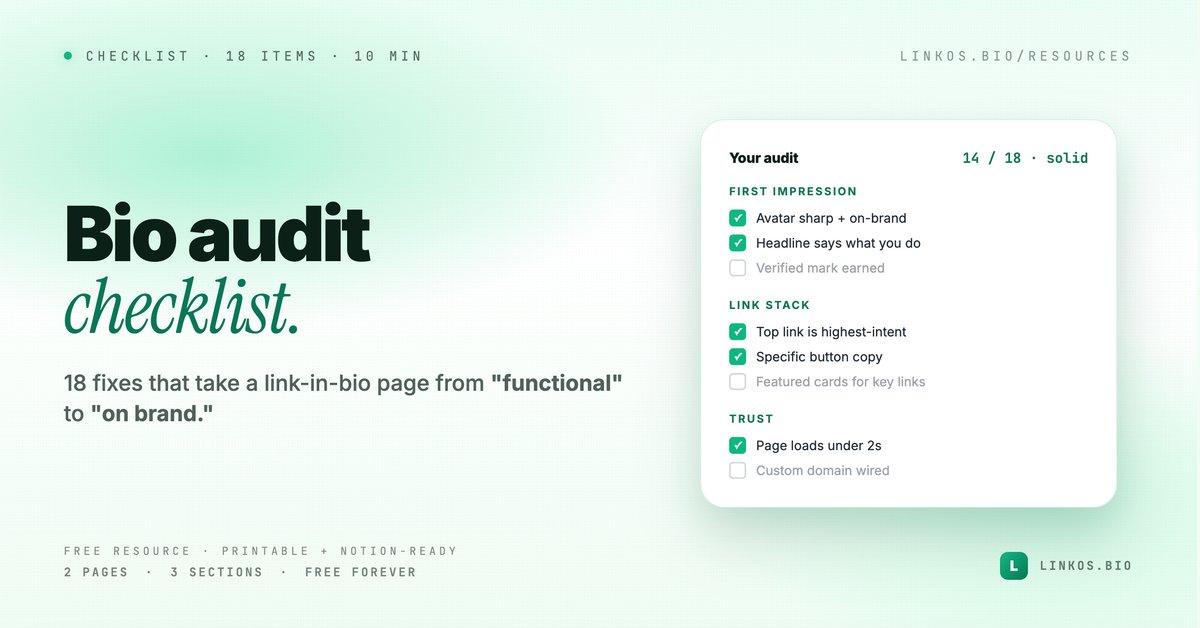
 Checklist
Bio audit checklist — 18 things to fix on a link-in-bio page
A printable scorecard you can run against your own (or a client's) bio page in under 10 minutes.
Get it →
0% read · +5 XP when you finish
Sign up free →A printable + Notion-importable checklist covering SEO, social previews, domain DNS, analytics, accessibility, and links.
What's inside
42 things to verify before you announce a new bio page, product launch, or campaign URL to the world. Run this checklist for 15 minutes and catch the issues that turn a launch tweet into a Discord pity-party. Free, printable, no email gate.
If you just want the PDF, hit the download button on the right.
Every launch has the same 42 things that go wrong — every single time. The 404 link on a featured CTA. The OG image that's 800 wide. The custom domain that propagated everywhere except the destination you actually need it on. The "Buy now" button that points at the old Stripe product.
We've shipped enough launches at Linkos (and worked on enough client launches) to know that 90% of these are catchable in 15 minutes if you have a list to walk through. Without the list, you'll catch maybe 60% — and the other 40% will surface during the launch window when you can't fix them.
This is the list.
42 yes/no checks across 7 categories:
Each item is one line, one checkbox. The whole thing is 2 pages printed.
If you only have 60 seconds, here are the issues we see in 80% of unprepared launches.
www. People who type the URL with www. get a redirect loop or 404. Catches by check #12.Pop quiz · 5 questions · ~60 seconds
Answer 5 multiple-choice questions. See your tier at the end. Bragging rights optional.
The flow is one of two paths.
Path A — Print + walk: Download the PDF, print 2 pages, walk through your launch with a pen. 15 minutes. Old-school but fast.
Path B — Run it digitally: Open the PDF on a second screen, walk through your launch tabbed in the first screen. Check off as you go. Save the marked-up PDF as a launch record (handy if launches recur monthly).
Either way: do it within 24 hours of launch, NOT a week ahead. Things change in the last 48 hours that invalidate week-old checks.
Related resource
Download / open: bio-audit-checklist
Use it when:
oldname.com → newname.com).Skip it when:
Why 42 items? It started as 28. Then we caught real things at #29 and #34 and #41 in actual launches, so the list grew. 42 is currently the size; we'll trim if items stop catching things.
Can I customize it? Yes — the PDF source is markdown (file in docs). Fork, edit, re-export with the markdown-to-PDF tool.
Is there a digital version with auto-checks? Not yet — the manual click + see-the-screen process is half the value. We're considering a "launch dashboard" that runs some checks automatically (DNS, SSL, OG validation) — message contact@linkos.bio if that's interesting.
My launch is in 30 minutes. Too late? No. Skim items 1-8 (destination page) and 17-21 (share preview). Those are the catastrophic ones. The rest can be addressed post-launch if needed.
Do I really need to check OG on all 5 platforms? Each platform unfurls differently. Yes. The Link Preview tester does this in one screen.
Most launches that go badly weren't unprepared in some grand sense — the founders did the obvious work. They missed the 4 small things that compound. A 15-minute walkthrough catches all 4 every time, because the list contains exactly those small things.
If you skip the checklist and the launch goes well, you got lucky. Next launch, same odds. If you run the checklist and the launch goes well, you can repeat it.
Related resource
Download / open: link-in-bio-playbook-2026
Questions or items you think should be added/removed? Email contact@linkos.bio — the list improves whenever readers send us cases the current list missed.
Sign up to start earning XP for every read.
Why use this
Most pages fail 12 of these on first pass.
Faster than a coffee.
Not Linkos-specific — use it for any link page.
Keep going
Plan with our resources, then build your bio in Linkos in under 5 minutes.