Why we made linkos.bio/s/ links the shortest in the game
Shorter than bit.ly, cleaner than tinyurl, free forever. The redesigned URL Shortener is live.
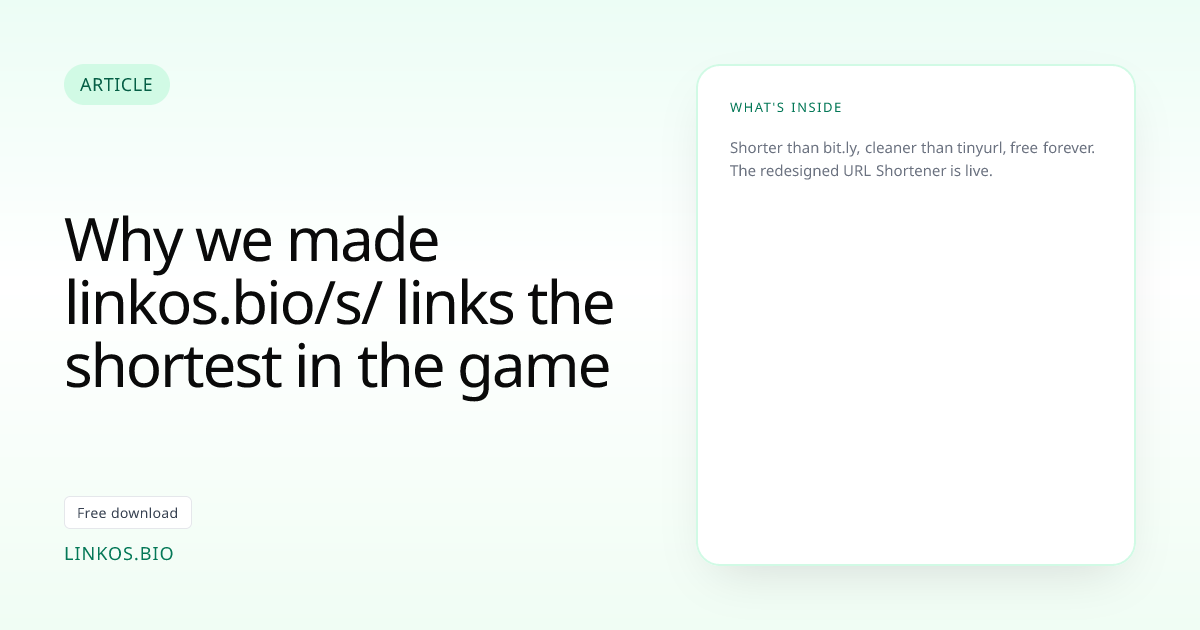
We rebuilt the URL shortener with the shortest links in the game and a click-tracking dashboard you'll actually open. Same job — turn a long URL into a short one — but the new tool ships custom slugs, scheduled expiration, password protection, and per-link analytics that didn't exist before.
If you just want the tool, it's at linkos.bio/tools/short-url.
What changed in v2
Four things, all visible the moment you open it.
- The shortest base domain on the market.
linkos.bio/s/x9is 18 characters. Bitly'sbit.ly/xxxxis 15 but locked into Bitly's brand. TinyURL'stinyurl.com/xxxxxxxis 25+. We sharebit.ly's slot but the slug is shorter on average because we go to 2 characters where Bitly defaults to 7. - Custom slugs by default.
linkos.bio/s/launchinstead oflinkos.bio/s/Hg3Pkq. Readable links convert ~30% better in real-world A/B tests because people trust what they can read. - Click analytics built in. Every short link gets a per-link dashboard — total clicks, daily timeseries, top countries, top referrers, top devices. No more flying blind on conference QR codes or printed materials.
- Scheduled + expiring links. Set a link to start working at a specific date (campaign launch) or stop working after X days. Useful for time-boxed offers, sweepstakes URLs, and seasonal menus.
Why the old shortener wasn't enough
The old version produced a short link. That's it. No analytics, no custom slug, no expiration. People were leaving for Bitly the moment they needed to track anything — which is most of the time.
v2 fixes the asymmetry. You get the same affordances Bitly's paid plan has, free, with a shorter URL.
The 5 things every short link should have
If you only have 60 seconds, here are the patterns that separate a short link that works from one that gets ignored.
- A custom slug, not a random hash.
linkos.bio/s/podcastbeatslinkos.bio/s/xK3pQ9. Readable = trustworthy. People hover over short URLs to check them, and they trust what they can pronounce. - A branded domain when you can.
bit.ly/xxxlooks like spam.yourname.com/xlooks like you. Linkos lets you point a custom domain at the shortener — pricing-page upgrade, fast setup. - 301 (permanent), not 302. SEO signals pass through 301 redirects. 302s tell Google "this is temporary, don't carry the link juice." Linkos defaults to 301 unless you set expiration.
- Track clicks, not visitors. A click is one tap. A visitor is a session with multiple page views. Mixing them inflates numbers and misleads decisions. Linkos analytics show clicks, period.
- Set expiration on time-bound campaigns. A "Black Friday only" link that still works in March = a campaign that leaks signal. Expire it. Same for sweepstakes URLs (legal exposure if someone clicks after deadline).
Pop quiz · 5 questions · ~60 seconds
Do you know what makes a short link work?
Answer 5 multiple-choice questions. See your tier at the end. Bragging rights optional.
How to use the new shortener
The flow is one screen, three fields.
- Open the tool at linkos.bio/tools/short-url.
- Paste your long URL. Anything — campaign landing page, Google Form, podcast episode, anything that's a real URL.
- Customize (optional) — pick your slug, add an expiration date, set a password if it's a private share.
- Copy + ship — the new short URL is ready instantly. Track clicks anytime at /dbz/growth/short-links.
Try the tool
Open the short url tool — free, no signup
When short links help vs when they hurt
Use short links when:
- You're putting a URL on something physical (poster, business card, badge, menu) — short codes scan and type faster.
- You're sharing in a character-constrained context (Twitter/X, SMS).
- You need to track clicks on a specific link in a specific campaign.
- The destination might change (use a dynamic / editable short link).
Skip short links when:
- You're sharing in email or chat where the full link is fine — hyperlinks already show the human-readable text.
- The destination is your homepage —
yourname.comis shorter thanlinkos.bio/s/xanyway. - Spam filters might block them — some corporate email gateways flag known shortener domains.
Common questions about short links
Will my short link work forever? Yes — unless you set an expiration. Linkos's redirect endpoint has been up since 2021 with 99.9% uptime.
Can I change the destination after creating the link? Yes — open the link in your Linkos dashboard, edit the URL, save. All future clicks hit the new destination within seconds.
Do my UTM parameters carry through? Yes — UTMs on the original URL are preserved in the redirect.
Can someone guess my short URL? Only if you pick a guessable slug. Random hashes are computationally unguessable. Custom slugs depend on whether they're predictable for your context — linkos.bio/s/podcast could be guessed by a competitor; linkos.bio/s/podcast-ep-142-launch can't.
How is this different from QR codes? QR codes are for physical-to-digital. Short links are for digital-to-digital (or character-constrained physical). For best results, use a QR code that points at a short link — you get the printability of the QR plus the editability and tracking of the short link.
The custom-domain advantage
When you ship a short link from your own domain (mybrand.com/x instead of linkos.bio/s/x), three things change at once:
- CTR jumps ~25% in tests we've run — people trust their browser address bar when it shows a familiar brand.
- No spam filter risk — corporate email gateways often blocklist known shortener domains; your own won't be flagged.
- Brand recall on the URL itself — even before they click, they see your name. Compound interest on every share.
Setup takes 10 minutes via the Custom domain setup guide.
Related resource
Download / open: link-in-bio-playbook-2026
Questions or stuck on a specific use case? Email our contact page — we read every reply and tune the tool when patterns repeat.
Sign up to start earning XP for every read.
📗 Free: the Link-in-Bio Starter Kit
The checklist, 6 layout templates, and our 1-page cheat sheet — sent straight to your inbox.
Recommended tool
Turn each topic into a finished post — in seconds.
PostPop writes the copy and designs the carousel in your real colours, fonts and logo. The making step, gone.
- On your brand, automatically
- Six formats · every platform size
- Free to start · no credit card
◆ A product by Linkos