Do You Need an AI Agent in Your Link-in-Bio?
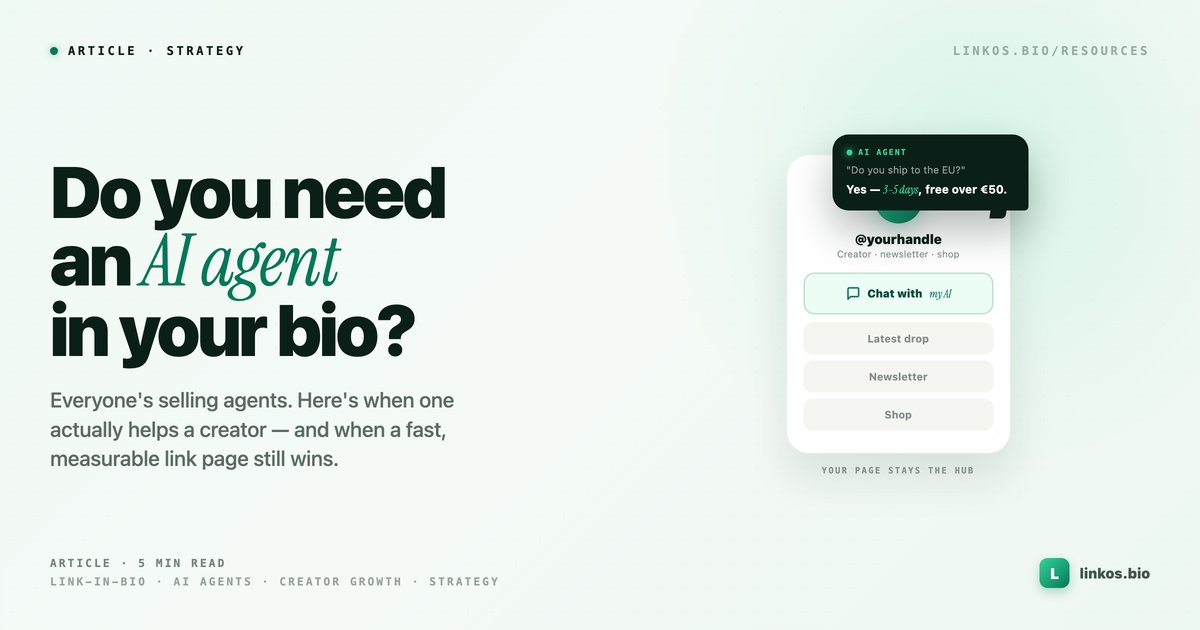
AI agents that chat with your visitors are having a moment. Here's when one actually helps a creator — and when a clean, fast link page still wins.
Key takeaways2 min · read this first
- For most creators, a fast, analytics-driven link page converts better than a chatbot.
- An AI agent earns its place only for high-DM, big-catalog, or sales/support accounts.
- A chat turns a one-tap action into a conversation — sometimes worth it, often friction.
- Even with an agent, your bio link stays the hub — the agent is just one more link on it.
You have probably seen the pitch: "your link-in-bio is dead, replace it with an AI agent that chats with your visitors." It makes a tidy headline. It is also the wrong question for most creators. The real question is narrower and more useful: does a conversational AI agent actually help your audience take the next step, or does it just add a layer between them and the thing they came for?
Here is an honest way to decide, and how an agent fits alongside a link page rather than replacing it.
The short answer
For most creators, a fast, well-organized link page still converts better than a chatbot. People arrive from a bio link with a specific intent — watch the new video, grab the discount, book the call — and every extra step between them and that action costs you clicks. A clean hub with real analytics tells you what people tap and lets you reorder around it. An AI agent earns its place only in a narrow set of cases, covered below. The pragmatic setup for almost everyone is a link page first, an agent second, and the two connected.
What an "AI agent in your bio" actually does
An AI agent is a chat layer trained on your content. Instead of a list of links, a visitor types a question and the agent answers, recommends, or routes them somewhere. Done well, it can qualify a lead, answer repetitive DMs, or surface the right product from a big catalog. Done poorly, it is a slower way to reach a link the person could have tapped in one second.
The trade is always the same: a chat turns a one-tap action into a conversation. Sometimes that conversation adds value. Often it adds friction.
When a link page is enough (most creators)
If your audience mostly wants to reach a handful of destinations, a link page wins on speed and clarity. This is the sweet spot for Linkos: one page that holds your shop, your latest drop, your newsletter, your booking form, styled to look like you, live in a few minutes.
The part a chatbot cannot match is the feedback loop. Link analytics show you which link people actually tap, so you reorder the page around real behavior instead of guessing. You can start from a template, see the full feature set, and publish free. For the creator whose job is "send followers to the right place," that is the whole job, and adding a conversation on top usually lowers the tap-through, not raises it.
When an AI agent earns its place
There is a real slice of accounts where an agent helps:
- High-DM businesses drowning in the same three questions (hours, pricing, availability). An agent that answers those instantly is a genuine time saver.
- Big or complex catalogs, where "which product is right for me?" is a real decision an agent can guide better than a flat list.
- Sales and service accounts that want to qualify or route a lead before a human picks it up.
If you are in that slice, a purpose-built tool like BrainSite builds an AI agent that knows your work and can live on your site or behind your bio link. That is a fair use of the format — the agent is doing work a static list cannot.
The pragmatic setup: hub first, agent optional
Here is the framing the "link-in-bio is dead" pitch skips. Even if you add an AI agent, it does not replace your bio link — it becomes one more destination your bio link points to.
Your Linkos page stays the front door: fast, on-brand, measurable. On it you keep your shop, your content, your booking, and, if an agent genuinely helps your audience, a link to it right there alongside the rest. You still get the analytics on what people choose, and you can drop or promote the agent based on whether people actually use it. The hub is the thing you own and measure; the agent is one tool inside it, not the whole house.
If you are weighing bigger changes, the guide on when a link page is enough versus when you need a full website covers the same "start with the job in front of you" logic.
Bottom line
Do not replace a working link page with a chatbot because a headline told you the format is dead. Start with the hub that is fast to build, easy to change, and honest about what people tap. Add an AI agent only if your audience is asking the same questions on repeat or navigating a real catalog — and when you do, link it from your page rather than hiding your links behind it.
Build the hub first. You can have your Linkos page live in a few minutes, free, and see from day one what your audience actually wants.
Sign up to start earning XP for every read.
📗 Free: the Link-in-Bio Starter Kit
The checklist, 6 layout templates, and our 1-page cheat sheet — sent straight to your inbox.
Recommended tool
Turn each topic into a finished post — in seconds.
PostPop writes the copy and designs the carousel in your real colours, fonts and logo. The making step, gone.
- On your brand, automatically
- Six formats · every platform size
- Free to start · no credit card
◆ A product by Linkos