Selling gifts this season? Get your bio link ready for the holidays
Most small shops sell a large share of the year's gifts between late November and Christmas, and most of those buyers arrive through one tap on a bio link. A 2026 guide on what to change before the rush (featuring Love Link).
For a small shop, the weeks between late November and Christmas can bring in more orders than the rest of the autumn put together. Most of those buyers don't type your address. They see a post, tap your name, and land on your bio link with one question in mind: can I get a gift from you in time?
This guide covers what to change in your bio link before the rush. Partway through there's a worked example with Love Link, a small tool for adding a written letter to a gift through a QR code.
Put the shipping cutoff at the top
The most common question in December isn't about price. It's "will it arrive in time?" Answer it before anyone asks.
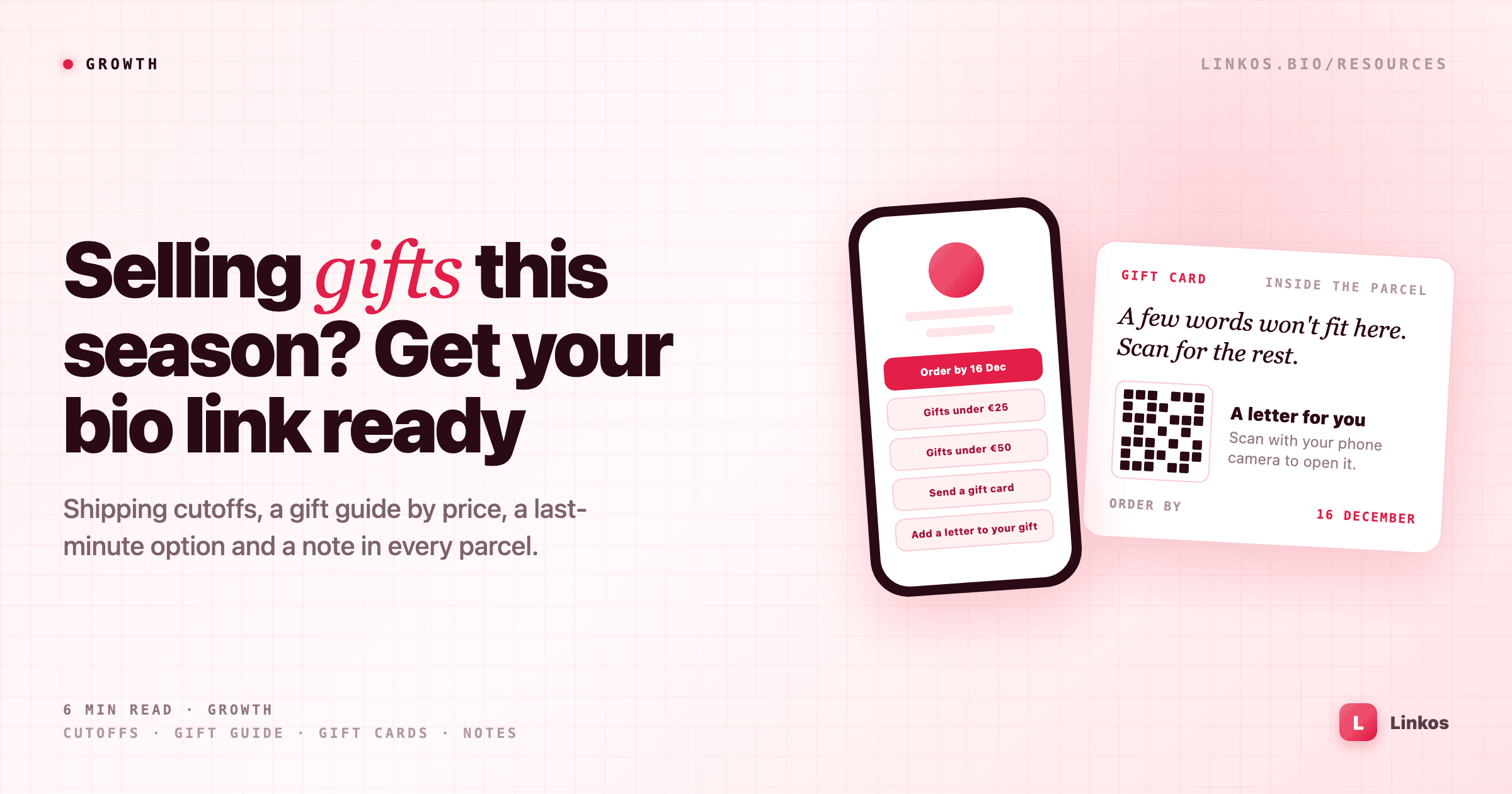
Make the first link a plain date, for example "Order by 16 December for Christmas delivery", pointing at your shop or delivery page. Use the real date from your courier, and give yourself a day of margin. If you ship abroad, add a second line with the international cutoff, which is usually a week or more earlier.
On Linkos you can schedule a link to appear and disappear on set dates. Set the cutoff link to disappear the evening it passes, so nobody orders on the 17th expecting a miracle.
Link a gift guide sorted by price
A buyer shopping for someone else rarely knows which product they want. They know their budget. A short gift guide sorted by price helps them decide in one screen:
- Gifts under €25
- Gifts under €50
- Gift sets and boxes
Each link can point at a filtered collection or a single page on your site. Three or four price bands are enough. Put the guide straight under the cutoff link, and move your everyday links, like "New in" or "About us", further down until January.
Have a plan for people who miss the cutoff
Every year, some customers find you on the 22nd. A gift card or voucher link keeps that sale, because there's nothing to ship. Title it plainly, for example "Too late for delivery? Send a gift card", and schedule it to appear the day your shipping cutoff link disappears.
If you take local pickup, add the last pickup day and your opening hours for the holidays too. That's another question you won't have to answer twenty times.
Make the personal note easy
Most December orders are gifts, and many buyers want to add a few words. Your order form probably has a small "gift message" field, which is fine for "Happy Christmas, love Anna". Some people want to say more than fits on a card.
That's where a linked letter helps. The buyer writes a longer letter online, and you print a small QR code on the card that goes in the parcel. The recipient scans it with their phone camera and reads it.
Worked example: a letter in the parcel with Love Link
Love Link at lovelettercreator.com is one way to do this. Here's how it fits:
- The buyer writes, not you: they write up to 2,000 characters, preview the envelope for free, and pay once ($2.99) when it's ready. There's no AI text generation, so the words stay theirs.
- A link and a QR code: the unlock gives a private link and a printable QR code. The buyer can download the QR image and send it to you with their order notes, and you print it on the gift card.
- Nothing for the recipient to do: no app, no account, no payment. They scan the code, an envelope opens, and the letter appears line by line. They can send one reply back for free.
- Clear on price: one letter is a one-time $2.99 that never renews. There's an optional $6.99 a year plan for people who send several letters, which also shows when the letter was opened.
- Also in Spanish: the site has a Spanish version, which helps if part of your customers write in Spanish.
One practical point: letter pages aren't listed anywhere, but anyone holding the link or QR code can open them. Print the code on the card inside the parcel, never on the outside of the box or the shipping label.
You can add a link like "Add a longer letter to your gift" under the gift guide in your bio, and mention it in your order confirmation email. For customers who missed the shipping cutoff, a letter sent as a link also arrives on time, since nothing needs posting.
See a sample letter at lovelettercreator.com →
During the season
Check your link analytics once a week. If many people tap the gift guide but few tap through to a price band, the band titles may be unclear, or the prices in them may not match what people expect.
Keep a WhatsApp or contact link near the top in December. People buying gifts have quick questions about sizes, wrapping and delivery, and an easy way to ask often turns into an order.
After Christmas
In early January, remove the cutoff and gift card links (scheduling does this for you), and move your everyday links back to the top. Keep the gift guide for a few weeks if returns and exchanges are common, then swap it for a sale or "new in" link.
Then look at the next date. Valentine's Day is about six weeks away, and the same setup works again: a cutoff date, a short guide by price, and an easy way to add a few words.
Checklist
- Put the real shipping cutoff date at the top, and schedule it to disappear when it passes.
- Add a gift guide sorted by price, three or four bands.
- Schedule a gift card link for people who miss the cutoff.
- Add holiday pickup days and opening hours if you have a shop.
- Offer a way to add a longer note, and print any QR code inside the parcel only.
- Keep a quick contact link near the top in December.
- In January, move everyday links back up and plan for Valentine's Day.
Sign up to start earning XP for every read.
📗 Free: the Link-in-Bio Starter Kit
The checklist, 6 layout templates, and our 1-page cheat sheet — sent straight to your inbox.
Recommended tool
Turn each topic into a finished post — in seconds.
PostPop writes the copy and designs the carousel in your real colours, fonts and logo. The making step, gone.
- On your brand, automatically
- Six formats · every platform size
- Free to start · no credit card
◆ A product by Linkos