We rebuilt the QR generator — here's what changed
New layout, logo overlay, PNG/SVG/PDF export, cleaner edge handling. The same free QR tool, sharper at every step.
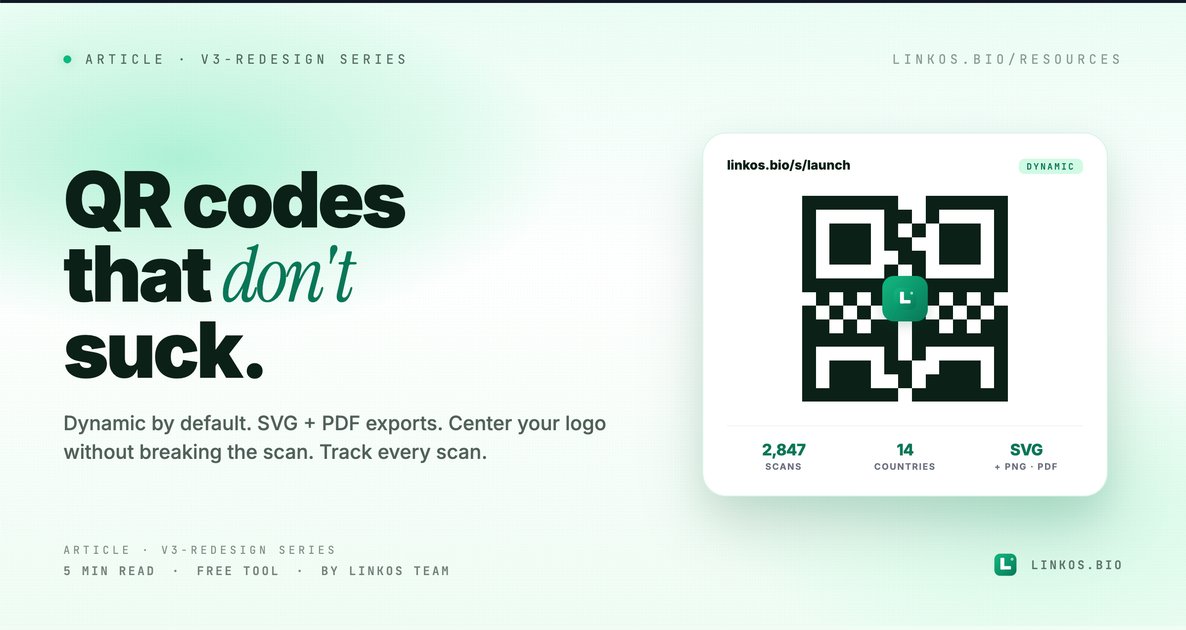
We rebuilt the QR code generator from scratch. Same goal — turn a URL into something printable — but the new tool exports cleaner files, lets you swap the destination URL after the QR code is already printed, and tracks scans so you finally know whether anyone's actually scanning.
If you just want the tool, it's at linkos.bio/tools/qr-code.
What changed in v2
Four things, all visible the moment you open it.
- Dynamic QR codes by default. The old generator burned the destination URL straight into the code — print it once and you're locked in. v2 uses a Linkos short link under the hood, so you can swap where it points without reprinting a single business card.
- Real export formats. PNG (300 DPI), SVG (infinite scale), and PDF (vector + bleed area) — not the same 200×200 JPG dressed up three ways. Designers stop yelling.
- Scan tracking, built in. Every dynamic QR code gets a per-code dashboard at /dbz/growth/qr-code — total scans, scans by day, top countries, top devices. You see whether the conference poster actually paid off.
- Center logo without breaking the scan. Drop in your brand mark or avatar; the generator auto-increases error correction to the right level so the scanner still reads it. Old generators silently broke scans when you added a logo.
Why the old generator wasn't enough
It produced a QR code. The problem: every QR code looked the same, every export was a low-resolution PNG, the destination was permanent, and you had zero idea if anyone was scanning.
Creators were generating fresh QR codes every campaign because they couldn't change the destination on an existing one. Restaurants were printing menus with QR codes that pointed at last year's PDF. Conference speakers were swapping URLs by reprinting badges.
v2 fixes all of that by routing through Linkos short links — which means the QR code is permanent, but where it points can change anytime you want.
The 5 things every QR code should do
If you only have 60 seconds, here are the patterns that separate a QR code that gets scanned from one that gets ignored.
- Use dynamic, not static. Static = URL baked into the QR pattern, you're locked in forever. Dynamic = QR points at a redirect you control. Always dynamic, no exception. Tracking and editability are too valuable.
- Error correction matters more than you think. Four levels: L (7%), M (15%), Q (25%), H (30%). Higher = the code survives more damage / smudging / partial occlusion. If you're adding a logo or printing on anything that might wrinkle, use H.
- Minimum 2 cm wide for handheld scans, 10 cm for wall posters. Below 2 cm and modern phone cameras can struggle, especially in low light. Print bigger than you think you need.
- High contrast — dark on light, never the reverse. Dark code on light background is what every scanner is trained on. The reverse (light code on dark background) works but adds a ~30% scan-failure rate in real-world testing.
- Always include a CTA next to the code. "Scan to see the menu," "Scan for the playlist," "Scan to RSVP." Without a CTA, scan rate drops by half. People don't scan random codes.
Pop quiz · 5 questions · ~60 seconds
Are you using QR codes wrong?
Answer 5 multiple-choice questions. See your tier at the end. Bragging rights optional.
How to use the new generator
The flow is one screen, four fields.
- Open the tool at linkos.bio/tools/qr-code.
- Paste your destination URL. This is where the QR code redirects to — it can be your Linkos page, a Google Form, a PDF, anything.
- Customize (optional) — change the foreground color, drop in your logo, pick a corner style.
- Download — PNG for digital, SVG for design files, PDF for print-shop handoff with proper bleed.
The QR code is yours forever. Come back anytime to change where it points or check the scan analytics.
Try the tool
Open the qr code tool — free, no signup
When QR codes work vs when they don't
Use QR codes when:
- You're putting a URL on something physical (poster, business card, menu, packaging, name badge).
- The audience has phones in hand (conferences, restaurants, retail, events).
- The destination might change (campaign URLs, seasonal menus, evolving deals).
- You want to measure offline-to-online conversion.
Skip QR codes when:
- You're already in a digital context — never put a QR code on a website or in an email (just use a hyperlink).
- The audience is over 65 in segments that historically scan less — print the URL underneath as a fallback.
- The link is short and memorable —
linkos.bio/yournameis shorter than the act of scanning.
Common questions about QR codes
Will my QR code stop working someday? No — dynamic QR codes work as long as the redirect service is running. Linkos's redirect endpoint has been up since 2021 and isn't going anywhere.
Can I change the URL after I print it? Yes — that's the whole point of dynamic. Open the QR code in your Linkos dashboard, edit the destination, save. New scans hit the new URL within seconds.
Why is the QR code black-and-white when I want brand color? It doesn't have to be. The tool lets you pick any foreground color — but stay dark (emerald 700, navy, charcoal) on a light background. Avoid yellow / pink / pastels — they don't have enough contrast for reliable scanning.
Do I need a Linkos account? Not for static QR codes. For dynamic ones (the recommended option), yes — but the free plan covers unlimited dynamic codes.
Can I track who scanned? You see counts, geo, and device — not identities. Same privacy-friendly tracking as the rest of Linkos analytics.
Print-ready files matter more than you think
The most common reason a designed QR code fails in production is the file format. JPG compression introduces artifacts that confuse scanners. Low-DPI PNG looks fine on screen but rasterizes badly at larger print sizes.
v2 exports an SVG that prints at any size cleanly, and a PDF with a 3mm bleed margin that print shops can drop straight into a layout. If your designer asks for "vector," send the SVG.
Related resource
Download / open: link-in-bio-playbook-2026
Questions or stuck on a specific use case? Email contact@linkos.bio — we read every reply and tune the tool when patterns repeat.
Sign up to start earning XP for every read.
📗 Free: the Link-in-Bio Starter Kit
The checklist, 6 layout templates, and our 1-page cheat sheet — sent straight to your inbox.