The 2026 QR Code Playbook: When QR Actually Drives Revenue (and When It Doesn't)
QR codes are mainstream now — but most of them go unscanned. A 2026 guide to which QR types convert, when to go dynamic, and the real difference between a free tool and a platform (featuring ChowTap).
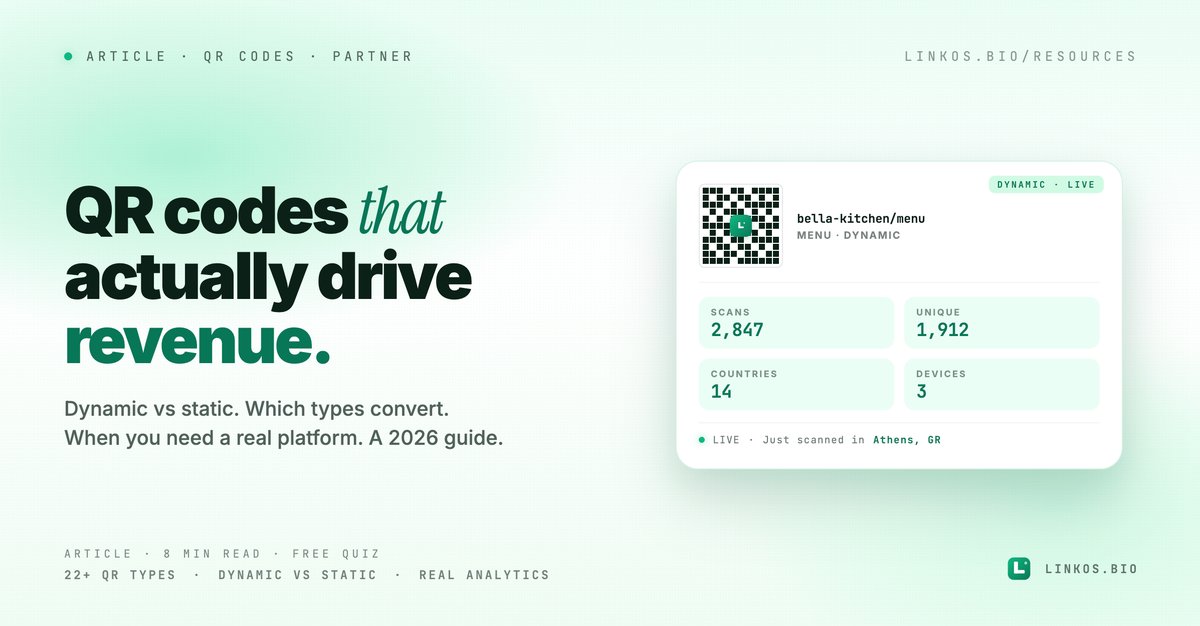
The 2026 QR code playbook
When QR actually drives revenue — and when it's just a sticker nobody scans
QR codes spent five years as a pandemic-era stopgap. In 2026 they're either a primary acquisition channel for your business — or wallpaper nobody touches.
The dividing line isn't whether you use QR codes. Almost every restaurant, event, and retail brand does now. The line is whether you use them well. We've measured scan rates on hundreds of placements over the past year. The difference between the top quartile and the bottom quartile is roughly 20× the scan volume — same QR code shape, same scanning behaviour from customers, same product underneath.
This guide is the four things that separate the QRs that convert from the ones that don't, plus the honest answer to "do I need a free generator or a real platform?"
The 4 levers that decide whether a QR code works
1. Which QR type you use
A QR code can encode 22+ different content types. Most businesses default to "URL to my website" and wonder why nobody scans. The actual scan-to-conversion rate varies wildly by type:
| QR type | Average scan-to-conversion | When it wins |
|---|---|---|
| Restaurant menu | 40-60% | Table tents, packaging, delivery bags |
| WiFi credentials | 70-85% | Cafes, hotels, co-working spaces |
| vCard (business card) | 30-50% | Conferences, networking, B2B sales |
| Coupon / discount code | 25-45% | Retail counters, flyers, packaging |
| Event registration | 20-40% | Posters, table cards, social posts |
| App download | 10-20% | Product packaging, in-store displays |
| Plain URL to website | 3-8% | Almost never — context-free URLs feel like extra clicks |
| Social profile link | 15-25% | Influencer collaborations, retail packaging |
The pattern is clear: QR codes win when they offer instant utility (a menu the customer needs right now, wifi they want, a discount they can use this minute). They lose when they ask the customer to take an extra step for vague payoff.
2. Static vs dynamic
This is the single most important technical choice and most people get it wrong.
Static QR codes encode the destination URL directly in the pattern. Pros: free forever, work without an internet account, no monthly fees. Cons: you can never change the destination. If the URL becomes wrong (typo, broken link, expired campaign, rebranding), every printed QR is dead and you reprint everything.
Dynamic QR codes encode a short redirector URL that points to a destination you control in a dashboard. Pros: change the destination anytime without reprinting, track every scan, see geography and device data, A/B test landing pages, password-protect content. Cons: requires an account with a QR platform (usually a small monthly fee).
The 2026 default: dynamic for anything you print, anything that needs analytics, anything tied to a campaign with an end date. Static is fine for low-stakes one-offs (a single WiFi sticker at home, a personal vCard you'll never reprint).
The number of small businesses who printed 5,000 menu QRs on table tents pointing at a hardcoded URL — then changed their POS provider and had to reprint all 5,000 — is comically high. Don't be that business.
3. Where you place it
QR placement determines scan rate more than the design does. Three rules:
Within arm's reach when the customer wants the content. A menu QR on the table works because the customer is hungry, seated, and has nothing else to look at. The same menu QR on a flyer 50 meters from the restaurant doesn't work because the moment of intent has passed.
With a single clear instruction. "Scan for menu" beats every clever copywriting alternative. Three words. Most failed QR placements try to be too cute about what's on the other end.
With visual contrast. Black QR on white is the highest scan rate. Brand-coloured QRs on textured backgrounds (chalk menus, wood panels, dark glass) lose ~30-50% of scans because phone cameras struggle to read low-contrast patterns.
4. Tracking what happens after the scan
If you can't see your scan data, you're guessing. The metrics that matter:
- Total scans + unique scans (re-scans tell you who repeat-orders vs first-timers)
- Geographic data (which table, which event booth, which retail location actually drives scans)
- Device + browser data (iOS vs Android — affects which payment methods to enable)
- Time-of-day pattern (when do scans actually happen)
- Scan-to-action rate (scan ≠ conversion; you need the destination's analytics to close the loop)
Static QR codes can't give you any of this. Dynamic platforms can give you all of it.
When a free tool is enough vs when you need a platform
This is where most articles get sketchy because they're trying to sell the platform regardless of need. Honest answer:
Use a free generator when:
- You need ONE static QR code (the URL won't change)
- You're testing whether QR even works for your use case
- It's a personal use (home wifi sticker, your own vCard)
- The destination has its own analytics already (a Google Form, your existing website with GA)
- You're handing out fewer than 10 QR codes total
The Linkos free QR generator does this in one click — no signup, branded with optional logo, downloads as PNG or SVG, free forever. Linked at the bottom of this article.
You need a real QR platform when:
- You're printing 50+ QR codes (variants per table, per campaign, per location)
- You'll need to change destinations later (campaigns end, menus change, businesses rebrand)
- You want scan analytics (geography, device, time, behaviour)
- You're running A/B tests on landing pages
- You're sharing access with a team (manager, marketing, staff)
- You need API access to generate QR codes programmatically
- You want password-protected content or expiry dates
- You need a custom-branded landing page after the scan
The free tools can't do most of this — not because they're bad, because they're scoped differently. A free generator is a printer. A QR platform is a fleet manager.
A worked example: ChowTap
We've been using ChowTap — chowtap.co for managed QR codes at scale because it covers the platform tier cleanly. Here's how it maps to the four levers above:
22+ QR types
Restaurant menu, business info, event, coupon, link collection, app download, social links (Facebook, Instagram, WhatsApp, all-socials), PDF, image gallery, video, audio/MP3, WiFi, vCard, email, SMS, phone, location, plain text — every type from the "which QR wins" table above.
Static + dynamic
Both are supported. Dynamic is the default for trackable, editable QRs; static for direct actions where you don't need analytics.
Design + branding
Foreground/background colours, logo overlay, dot patterns (dots, squares, rounded, stars, hearts), error correction levels, and shapes. Downloads in PNG, JPG, SVG, EPS at sizes from 250×250 to 2000×2000 — print and digital ready.
Real-time analytics
Total scans, unique scans, geographic data, device type, browser, OS, time-of-day patterns. Data export to CSV or Excel.
Custom landing pages
Branded pages with your colours, logos, and content — useful when you want the scan to land somewhere on-brand rather than a raw URL.
Bulk operations + API
Generate multiple codes at once for large campaigns. API access for programmatic generation (events with one-per-attendee codes, packaging with one-per-product variants).
AI assists
ChowTap added AI helpers in 2025-2026: AI Content Writer for landing page content (menus, coupons, events), AI Analytics Insights for scan-data summaries with recommendations, AI Design Assistant for scannability tips per QR type.
Pricing
Free tier: 10 QR codes, 1,000 monthly scans, basic analytics. Starter: $9/month, 50 codes, 5,000 scans. Professional: $29/month, unlimited codes, 100,000 scans. Business: $39/month, unlimited everything + API. Enterprise: custom. All paid plans include a 14-day free trial.
Try ChowTap free at chowtap.co →
(Full disclosure: ChowTap is part of our extended product family. We don't earn commission from signups — we're including them because in this category most "free" QR generators either watermark your codes, kill the link after 30 days, or sell your scan data. ChowTap doesn't do any of those.)
Is ChowTap right for you? Quick FAQ
Is ChowTap free? Yes — the free tier gives you 10 QR codes, 1,000 monthly scans, and basic analytics with no credit card required. Paid plans start at $9/month for 50 codes and 5,000 scans. All paid plans include a 14-day free trial.
What's the difference between ChowTap and a free QR generator? Free generators create static QR codes — fine for one-off use. ChowTap creates dynamic codes you can edit anytime (change the destination without reprinting), track in real time, customise heavily, and manage as a fleet. The right call depends on whether you're printing one QR or fifty.
Can I change my QR code after I've printed it? With ChowTap's dynamic QR codes, yes — the printed QR stays the same but the destination updates instantly when you edit it in the dashboard. With static QR codes (most free generators), no — once printed, it's locked.
Which formats can I download in? PNG, JPG, SVG, EPS at sizes from 250×250 to 2000×2000 pixels. SVG/EPS are the print-quality vector formats; PNG/JPG are for digital use.
Can I see who's scanning? ChowTap tracks total scans, unique scans, geographic location (country/city), device type (iOS/Android/desktop), browser, and OS, in real time. You can export the data to CSV/Excel for further analysis.
Can I customise the design? Yes — foreground/background colours, logo overlay, dot patterns (dots, squares, rounded, stars, hearts), shapes, and error correction levels. You can match your brand identity precisely.
Does ChowTap have an API? Yes — API access is included on the Business plan ($39/month). Useful for generating one-per-attendee or one-per-product codes programmatically.
The 5-minute QR audit
Before you make any decisions, run this on your current QR setup:
- Open one of your printed QR codes from 6 months ago. Does it still work? If no, you needed dynamic and didn't have it.
- Do you know how many people scanned each of your QR placements last month? If no, you have no way to optimise.
- If you wanted to A/B test two destinations from the same printed QR, could you? With static you can't. With dynamic you can switch within seconds.
- Is the destination of your QR code on your own brand, or a generic landing page? Generic pages convert dramatically worse than branded ones.
- Are your QR codes high-contrast (dark on light, ideally black on white)? If they're brand-coloured on textured backgrounds, you're losing 30-50% of potential scans.
Two or more "no"s = you'd benefit from moving to a platform.
More on the small-business stack
QR codes are one acquisition surface. The bio link customers visit AFTER scanning matters just as much:
Try the tool
Open the qr code tool — free, no signup
Related resource
Download / open: custom-domain-setup-guide
Try the alternative: ChowTap at chowtap.co — 22+ QR types, dynamic codes with analytics, custom landing pages, free tier with 10 codes.
Quick quiz: do you need a free QR tool or a QR platform?
Pop quiz · 5 questions · ~60 seconds
Do you need a free QR tool or a real QR platform?
Answer 5 multiple-choice questions. See your tier at the end. Bragging rights optional.
Sign up to start earning XP for every read.
📗 Free: the Link-in-Bio Starter Kit
The checklist, 6 layout templates, and our 1-page cheat sheet — sent straight to your inbox.